Graphic design
in social media
Positive and negative aspects of UX/UI designing
Graphic design plays a crucial role in shaping the UI (User Interface) design for social media platforms by ensuring the interface is visually appealing, user-friendly, and aligned with brand identity.It establishes a consistent colour scheme, typography, and logo placement, defining the overall look and feel of the platform while maintaining brand recognition through custom icons, buttons, and illustrations. Additionally, it enhances user experience (UX) by designing intuitive layouts, using visual hierarchy to highlight key features, and ensuring responsiveness across devices.
Icons aren’t just tiny graphics on your screen — they’re digital signposts that guide you through any interface.
Think about how you instinctively hit the heart icon to "like" or recognise the magnifying glass for "search". Well-designed icons instantly communicate an action or idea, cutting down on confusion and letting you navigate apps and websites more confidently. When these symbols are consistent with what you already expect (like a gear for "settings" or a house for "home") you won’t have to waste brainpower figuring out what’s what.
But it’s not just about familiarity. Icons also shape your entire user experience on
a deeper level.
Ever noticed how certain apps feel more natural, and you don’t have to stop to think about what to tap next? That fluid experience often comes down to thoughtful icon design. By using visual hierarchy (like making crucial icons bigger or brighter) developers can highlight must-click features. This becomes especially important in infinite scrolling environments, such as social media feeds, where well-placed icons act like anchors: they let you quickly check notifications or return to the top without getting lost in a sea of content.
A well-designed interface improves navigation, engagement, and accessibility, making it easier for users to interact with content.
Enhanced User Experience (UX)
Thoughtful UI design strengthens the platform’s identity through cohesive branding elements like colours, typography, and layouts.
Brand Consistency & Recognition
A well-structured grid and layout help organise content effectively, ensuring that posts, stories, and ads are displayed in a user-friendly manner.
Efficient Content Presentation
A visually appealing interface provides tools for users to create and share content, fostering creativity.
Encourages Creativity & Expression
Social media interfaces often use infinite scrolling, notifications, and engagement-driven algorithms, which can lead to excessive screen time and addiction.
Addictive Design Patterns
UI elements like dark patterns (e.g., making it hard to delete accounts or opt out of tracking) can manipulate user behaviour and raise ethical concerns.
Privacy & Ethical Concerns
Interface design impacts how content is displayed, sometimes leading to biased or manipulative content visibility, affecting user perception.
Algorithm Bias & Content Prioritisation Issues
Highly engaging visuals and notifications can create pressure to engage, comparison culture, and anxiety, especially on image-focused platforms.
Mental Health Implications


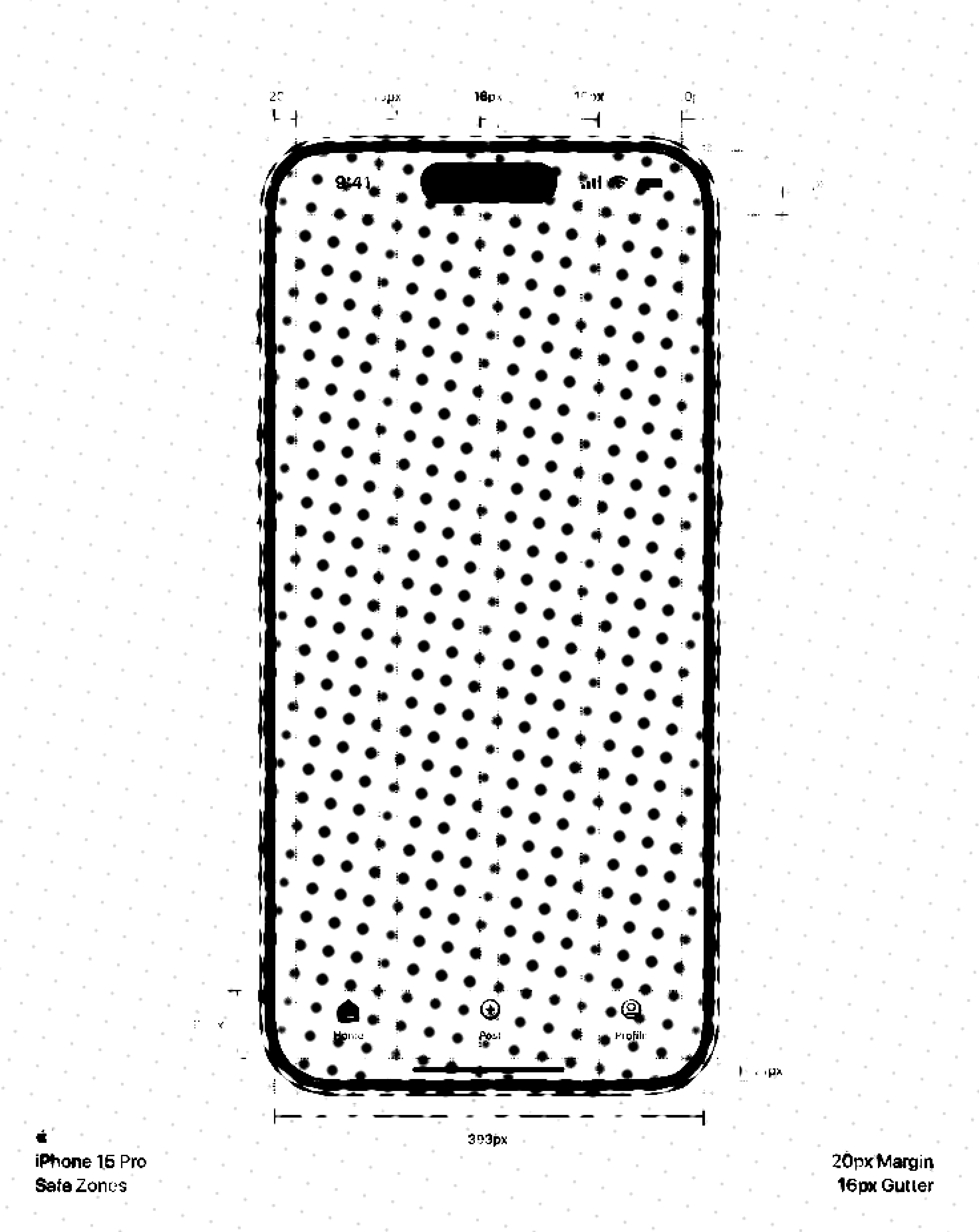
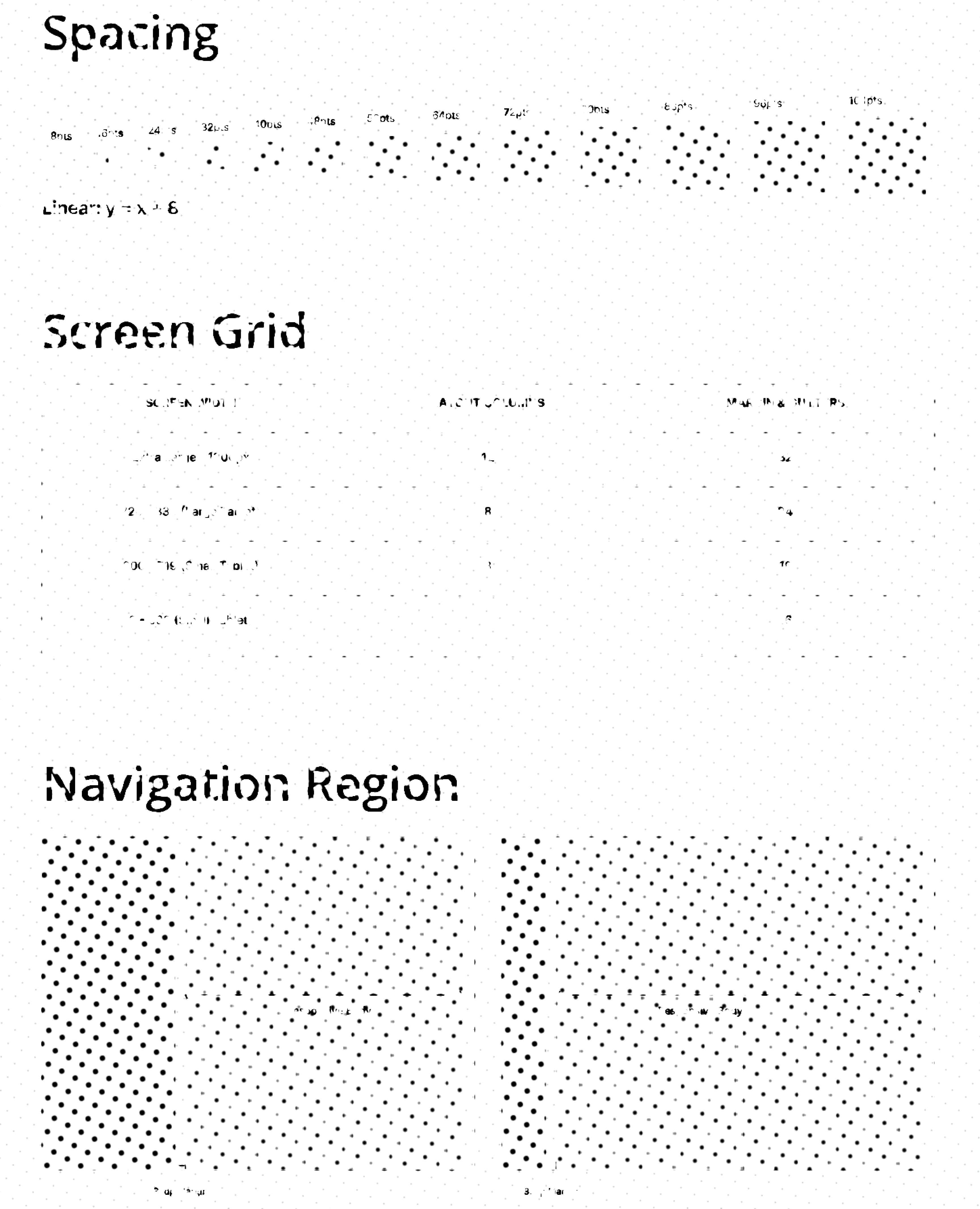
Grids and layouts are the hidden backbone of any great digital experience.
Imagine strolling through
a neat city grid where every block lines up perfectly — it’s easy to know where you’re going and keep your bearings. The same logic applies to your favourite apps and websites.
A well-organised layout that follows a clear grid ensures that every button, image, and text block has its place. Users can scan the content without feeling overwhelmed, which instantly boosts their comfort level and keeps them scrolling longer.
When grids are done right, they do more than just look tidy — they guide your eyes to what’s important.
Ever noticed how certain apps feel more natural, and you don’t have to stop to think about what to tap next? That fluid experience often comes down to thoughtful icon design. By using visual hierarchy (like making crucial icons bigger or brighter) developers can highlight must-click features. This becomes especially important in infinite scrolling environments, such as social media feeds, where well-placed icons act like anchors: they let you quickly check notifications or return to the top without getting lost in a sea of content.
Positive impacts of UX/UI designing
Negative impacts of UX/UI designing
One downside to highly effective design and UX/UI techniques on social media is that they can make platforms too compelling, fuelling addictive behaviours and endless scrolling.
When every element is polished to grab your eye—glowing notification icons, infinite feeds, and perfectly placed calls to action—it’s hard to pull yourself away. Users end up spending more time online than intended, sometimes at the expense of real-world relationships and mental well-being.
Over-reliance on eye-catching visuals and optimised user flows can create a “hook” that keeps people engaged for the wrong reasons, blurring the line between genuine community-building and pure consumption.
Another negative impact is how expertly designed interfaces can manipulate emotions or exploit cognitive biases.
The same principles that make a user interface feel intuitive can also be used to push microtransactions, collect excessive data, or spread polarising content. In some cases, platforms use “dark patterns” (tricky design strategies) that nudge people into actions they didn’t consciously choose—like unintentionally sharing personal info or agreeing to endless marketing emails. While these tactics boost engagement and revenue in the short term, they erode user trust over time and can contribute to a more fragmented, less authentic social experience.
Beyond just looking good, thoughtful design and UX/UI tactics can significantly improve accessibility and inclusivity, broadening your reach.
For instance, using high-contrast colors and readable fonts ensures that your content is easy on the eyes, even for those scrolling on tiny screens or in dimly lit environments. Subtle additions like clear headings, descriptive alt text, or consistent post layouts make your social media channels more welcoming to users of all abilities. In turn, a more accessible platform doesn’t just help people feel included—it can also win you loyal followers and advocates who appreciate the extra effort in making your social presence user-friendly.
Effective graphic design and savvy UX/UI practices can turn your social media presence into an engaging experience.
Clean visuals, streamlined layouts, and carefully placed calls-to-action invite audiences to explore more, leading to higher engagement and a stronger relationship with your brand or cause. Plus, when every image, video thumbnail, and post format feels cohesive, people trust that you know what you’re doing, which boosts your credibility and keeps them coming back for more.
Bibliography:
[1]
UXPin (2024). UI Grids – All You Need to Know. [online] Studio by UXPin. Available at: https://www.uxpin.com/studio/blog/ui-grids-how-to-guide [Accessed 16 Feb. 2025].
Tandon, A. (2023). ‘Unlocking user experience: The power of icons in UX/UI design’. [online] Medium. Available at: https://medium.com/design-bootcamp/unlocking-user-experience-the-power-of-icons-in-ux-ui-design-80466407c16d.
[2]
[3]
[4]
Praise, A. (2023). Impacts of UX Design on Business. [online] Medium. Available at: https://medium.com/@akindepraise5/impacts-of-ux-design-on-business-71841de4931b.
Team, H. (n.d.). User Behavior: How to Track and Analyze it on Your Website. [online] www.hotjar.com. Available at: https://www.hotjar.com/blog/user-behavior/.